



What Is LangChain? Features, Uses, and Benefits Explained (2026)
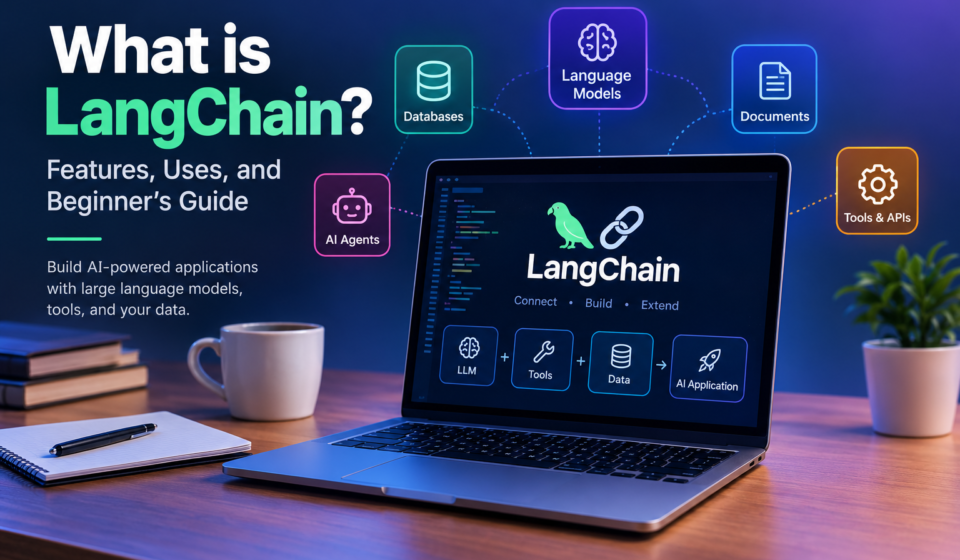
LangChain is an open-source framework that helps developers build applications powered by artificial intelligence (AI) and large language models (LLMs). It allows developers to connect AI models with external tools, databases, documents, and APIs. As a result, they can create AI chatbots, virtual assistants, document search systems, and automated workflows.
For example, a business can use LangChain to build a chatbot that answers customer questions using company documents. Instead of relying only on general AI knowledge, the application can retrieve relevant information and use it to prepare a response.
LangChain does not work as an AI model itself. Instead, it provides tools and integrations that help developers build applications around language models. In this guide, you will learn how LangChain works, its main features, practical uses, costs, and how beginners can get started.
What Is LangChain?
LangChain is a software framework designed to simplify the development of AI-powered applications. Large language models can understand questions and generate text, but many real-world applications require access to information outside the model.
For example, a customer support chatbot may need to check a company’s refund policy before answering a question. Similarly, an AI assistant might need to search documents, retrieve database records, or use an external API.
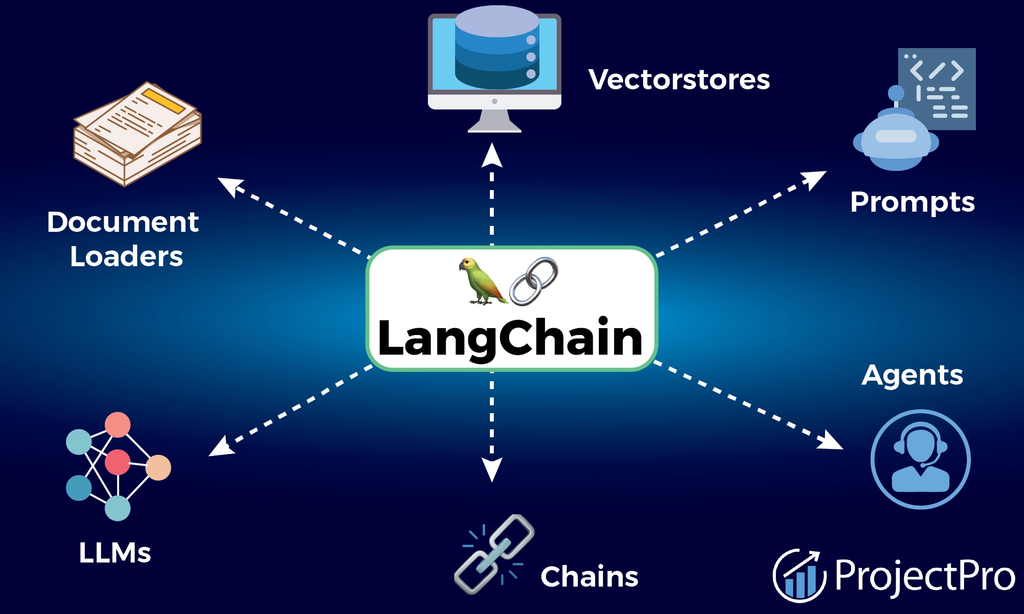
LangChain helps developers connect these components without building every integration from scratch. It supports different model providers and provides components for prompts, tools, retrieval, and agent development.
According to the official LangChain website, the framework offers prebuilt agent architecture and integrations that help developers build AI applications more efficiently.
Common uses include customer support chatbots, document question-answering systems, AI assistants, and applications that use external tools.
How Does LangChain Work?
LangChain connects different components of an AI application so they can work together. The process depends on the project, but a typical workflow includes these steps.
1. Receive User Input
The application begins when a user asks a question or provides an instruction. For example, someone might ask a chatbot about a product’s return policy.
2. Process the Request
The application sends the question and relevant instructions to a language model. The model processes the information and determines how to respond.
3. Retrieve Information or Use Tools
If the application needs additional information, it can retrieve relevant documents, query a database, or call an external API. An AI agent may also use available tools to complete a task.
4. Generate a Response
The model uses the question and available information to prepare an answer. The application then displays the response to the user.
Not every project needs all these steps. A simple chatbot may only require a model and a prompt, while an advanced AI agent may use multiple tools and follow a more complex workflow.
Key Features of LangChain
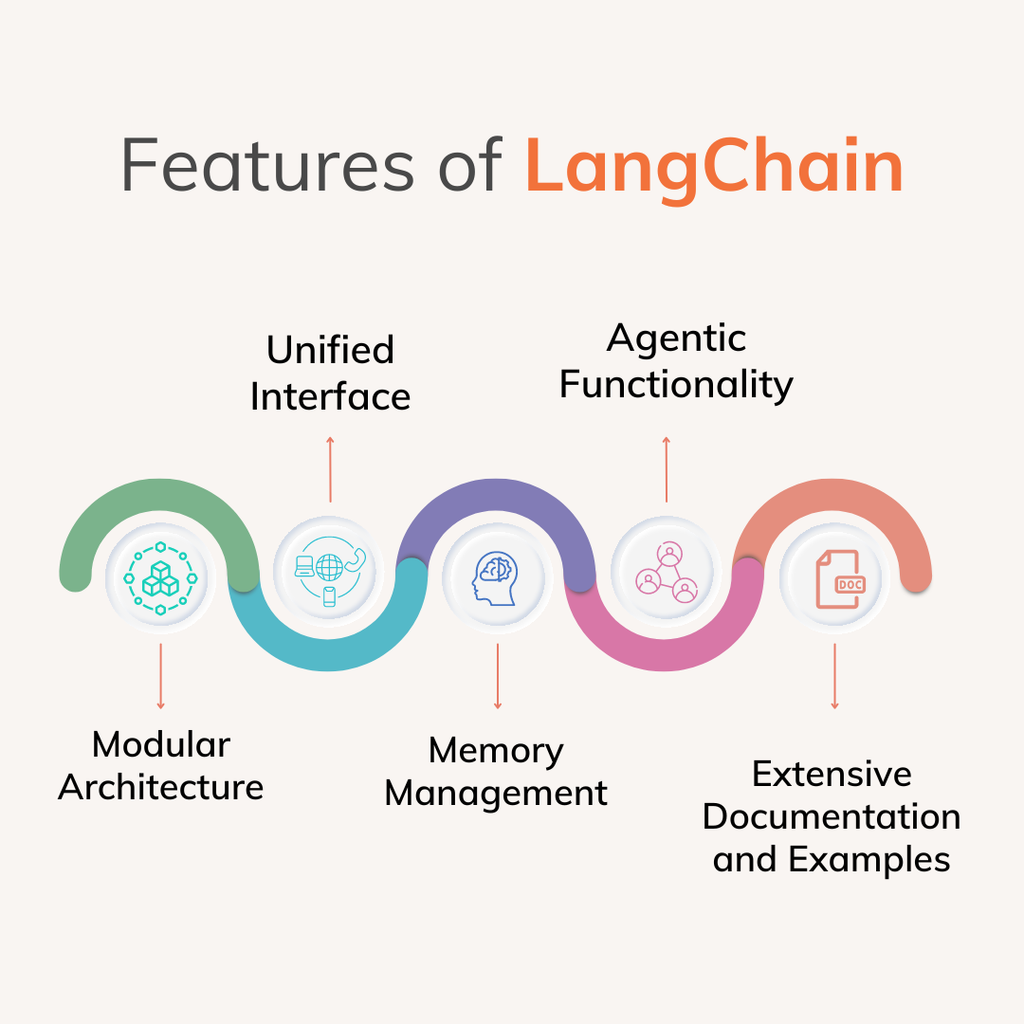
LangChain provides several features that help developers build and manage AI applications.
1. Language Model Integrations
LangChain supports integrations with different language models and providers. Developers can explore models from providers such as OpenAI, Anthropic, and Google through supported integrations.
This flexibility makes it easier to experiment with different models. However, switching providers may still require changes to prompts, settings, or model-specific functionality.
2. AI Agent Development
An AI agent uses a language model to decide which actions to take within a defined workflow. Depending on its configuration, an agent may search for information, call tools, inspect results, and continue working toward a goal.
LangChain provides a create_agent interface that helps developers build agents using a model, instructions, and available tools. This reduces the need to create the entire agent control process from scratch.
3. Tool Integration
AI applications often need capabilities beyond text generation. For example, they may need to perform calculations, retrieve information, or interact with other software.
LangChain helps developers connect tools such as database queries, search services, APIs, and custom functions. Developers can control which tools an agent may use and what actions it can perform.
4. Retrieval-Augmented Generation (RAG)
Retrieval-Augmented Generation, commonly called RAG, allows an AI application to retrieve relevant information before generating an answer.
For example, a company can build a chatbot that answers questions using internal documents. When a user asks about a company policy, the application retrieves relevant passages and provides them to the language model.
This approach can make responses more relevant to the supplied information. However, accuracy still depends on the quality of the documents, retrieval process, and model response.
5. Document Processing
LangChain offers components that help developers load and process information from documents and other sources. Developers can divide long documents into smaller sections and prepare them for search or retrieval.
This feature is useful for creating document assistants, searchable knowledge bases, and research applications.
What Is LangChain Used For?
LangChain can support many types of AI applications. Here are some common examples.
Building AI Chatbots
Businesses can use LangChain to develop chatbots that answer customer questions, explain services, and provide product information.
When connected to a reliable knowledge base, a chatbot can retrieve company-specific information before responding. This makes it useful for customer support and internal assistance.
Creating AI Assistants
Developers can create assistants that summarize documents, organize information, and interact with connected services.
For example, an assistant might retrieve information from a database and prepare a report. Its capabilities depend on the tools and permissions configured by the developer.
Searching Documents
LangChain can help build applications that answer questions about PDFs, reports, and other documents. Instead of manually searching through hundreds of pages, users can ask questions in everyday language.
This approach can be helpful for researchers, students, businesses, and organizations that manage large amounts of information.
Automating Business Workflows
Some business processes involve collecting information, checking records, and preparing summaries. LangChain can help developers connect these activities into AI-powered workflows.
However, sensitive actions such as payments or account changes should include appropriate security controls and human approval where necessary.
Is LangChain Free to Use?
LangChain is open-source software distributed under the MIT license. Developers can use the framework without paying a software license fee.
However, building and running an application may involve additional expenses.
- AI model APIs: Some providers charge for model usage or token consumption.
- Hosting: A deployed application may require a server or cloud service.
- Databases: Certain database services have paid plans.
- External tools: Some APIs charge based on usage.
- Maintenance: Developing, testing, and updating an application requires time and effort.
You can experiment with LangChain without paying for the framework itself. Nevertheless, the total cost depends on the models, tools, hosting services, and usage requirements of your project.
LangChain vs. ChatGPT: What Is the Difference?
LangChain and ChatGPT serve different purposes.
ChatGPT is an AI product that people can use to ask questions, write content, analyze information, and complete other supported tasks.
LangChain is a development framework that programmers use to build their own AI-powered applications. It helps connect language models with external tools, data sources, and application logic.
For example, you can use ChatGPT to summarize a document directly. Alternatively, a developer can create a document assistant with LangChain that allows multiple users to ask questions about a collection of files.
In simple terms, ChatGPT is an AI application, while LangChain is a framework for building AI applications.
Is LangChain Good for Beginners?
LangChain can be useful for beginners interested in AI development. However, learning a few programming fundamentals first can make the process easier.
Follow these steps to get started:
- Learn Python basics: Understand variables, functions, lists, dictionaries, and packages.
- Understand APIs: Learn how applications communicate with external services.
- Explore language models: Understand prompts, tokens, and model responses.
- Build a simple chatbot: Connect a supported language model to a basic application.
- Try document search: Create a small project that answers questions about your own documents.
- Explore AI agents: Learn how agents use tools to complete tasks.
For installation instructions and examples, visit the official LangChain documentation.
Start with a small project rather than trying to learn every feature at once. As your understanding improves, you can explore more advanced applications.
Advantages and Limitations of LangChain
Before choosing LangChain for a project, consider its main strengths and weaknesses.
Advantages
- Faster development: Existing components can reduce repetitive coding.
- Flexible integrations: Developers can connect supported models and tools.
- RAG support: Retrieval components help build document-based applications.
- Agent development: The framework offers a starting point for creating tool-using agents.
- Open-source access: Developers can use the framework without paying a license fee.
Limitations
- Learning curve: Beginners may need time to understand the framework.
- Additional costs: Model APIs, hosting, and external services may require payment.
- Debugging complexity: Applications with multiple tools can be difficult to troubleshoot.
- Model errors: LangChain does not guarantee accurate responses.
- Maintenance: Updates may require code or configuration changes.
Therefore, LangChain is most valuable when its features solve a real development problem. A simple application may not need a large framework, while a more advanced project can benefit from its integrations and agent capabilities.
Frequently Asked Questions
What is LangChain mainly used for?
LangChain is used to build AI-powered applications, including chatbots, document assistants, AI agents, and systems that connect language models to external tools and data.
Is LangChain an AI model?
No. LangChain is a software framework that helps developers connect AI models with tools, data sources, and application logic.
Does LangChain require Python?
No. LangChain supports Python and JavaScript/TypeScript implementations, allowing developers to choose a suitable programming language.
Can I use LangChain without an API key?
It depends on the model you choose. Many hosted AI providers require API credentials, while certain locally running models can be used without a paid hosted-model API.
Can LangChain build AI agents?
Yes. LangChain provides an agent interface and integrations that help developers build agents capable of using tools to complete tasks.
Final Thoughts
LangChain is a useful framework for developers who want to build AI applications that combine language models with external data, tools, and custom workflows. It can simplify the development of chatbots, document search systems, and AI agents.
However, it does not guarantee that an application will always produce correct or secure results. Developers must still test their systems, protect user data, manage permissions, and monitor costs.
If you are beginning your AI development journey, start with a simple chatbot and gradually explore document retrieval and tool-using agents. This approach will help you understand how LangChain works and when it is useful.
read more: https://letestnews.co.uk/
